Find concrete barriers
Scan one page free or crawl the saved site, then sort findings by severity and affected element.
Use rendered-page evidence to turn an EU customer request into scoped engineering work, then re-scan as the interface changes.
Scan one page free or crawl the saved site, then sort findings by severity and affected element.
Keep the rule, selector, source snippet, and remediation guidance together instead of passing around a score.
Schedule scans, compare trends, track resolved issues, and draft a statement from current evidence.
Use targeted re-checks, CI, comparable-run diffs, and authenticated journeys to keep concrete evidence near engineering work.
Run the shipped GitHub Action or GitLab CLI with an explicit new-finding policy.
Re-scan the changed route and keep the rule, selector, source snippet, and affected-page evidence together.
Compare completed runs only when the page set and standard are comparable.
Model repeatable checkpoints for product states that a public crawl cannot reach.
Rendered-rule checks, configured CI policy, reached-page counts, comparable-run changes, and checkpoint findings.
Interaction quality, task completion, assistive-technology behavior, content meaning, and a conformance assessment.
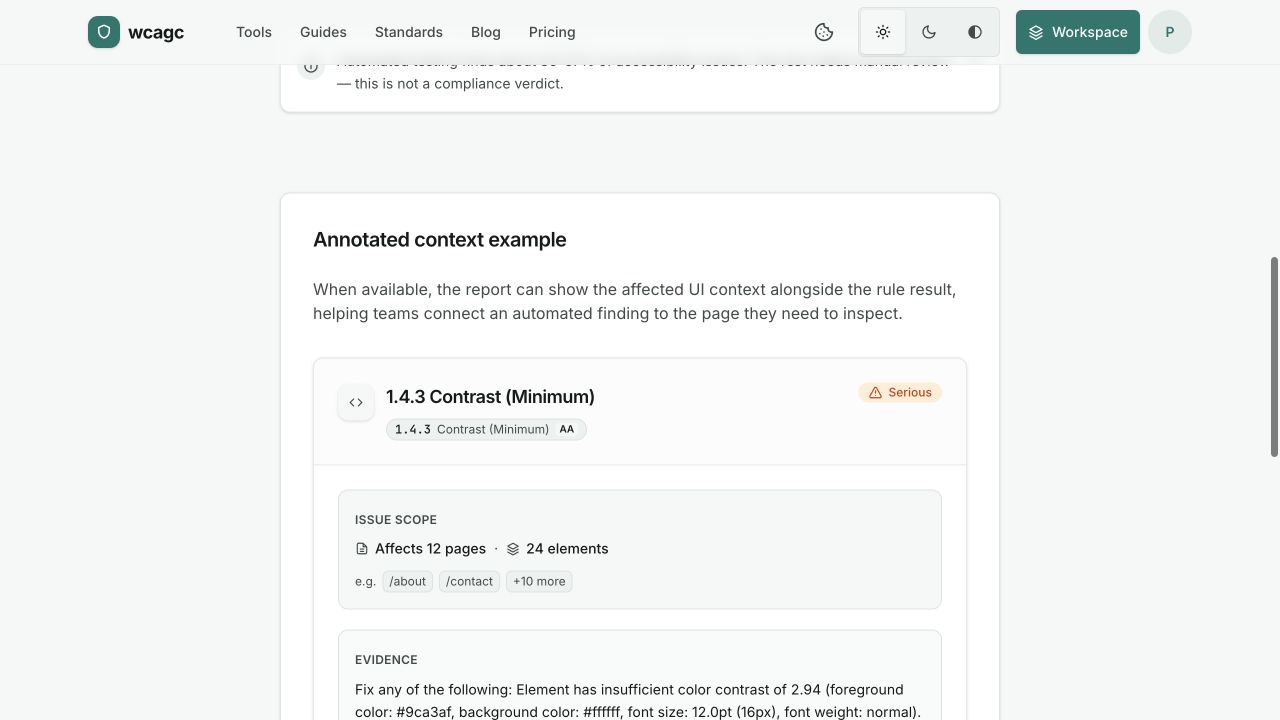
The sample is a real report view: severity, affected element, rule, and a practical direction for the fix. Automated coverage is clearly separated from manual review.