Theme structure
Find heading, landmark, link-name, and navigation issues that repeat across templates.
Scan the rendered result, then trace the affected element back to a theme template, block, plugin output, or editor content.
Find heading, landmark, link-name, and navigation issues that repeat across templates.
Catch contrast, image alternative, and form-label problems introduced while publishing pages.
Re-scan forms, menus, and widgets after configuration or plugin updates change their markup.
Cart, checkout, login, and payment are connected customer jobs. Treat them as one testable journey while keeping the automation boundary visible.
Check product options, quantity controls, update messages, names, focus order, and rendered errors.
Scan reachable checkout states and record guided keyboard, reflow, label, and error-prevention checks.
Use a dedicated saved test account for configured authenticated scans and repeatable journeys.
Review the rendered transition and return states; third-party payment behavior still needs human testing.
Rendered markup, accessible names, labels, contrast, structure, selected-rule regressions, and reached-page evidence.
Keyboard flow, understandable errors, content meaning, assistive-technology behavior, and third-party payment states.
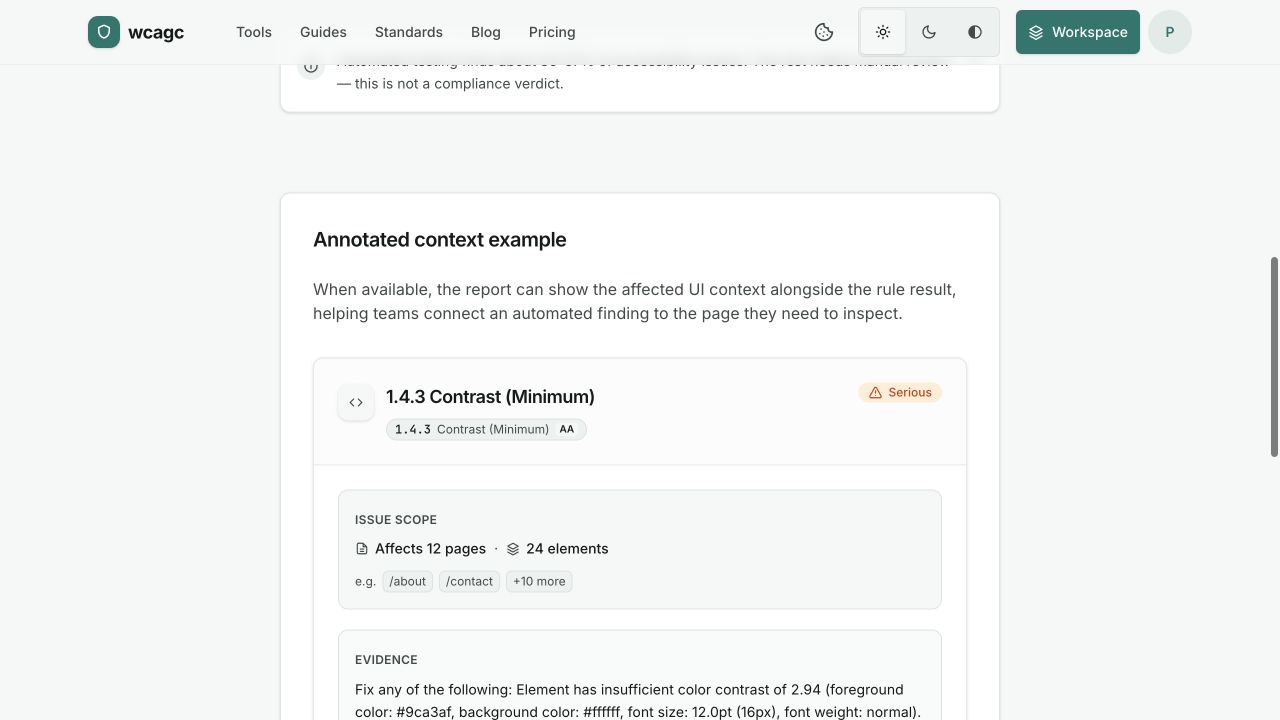
The sample is a real report view: severity, affected element, rule, and a practical direction for the fix. Automated coverage is clearly separated from manual review.